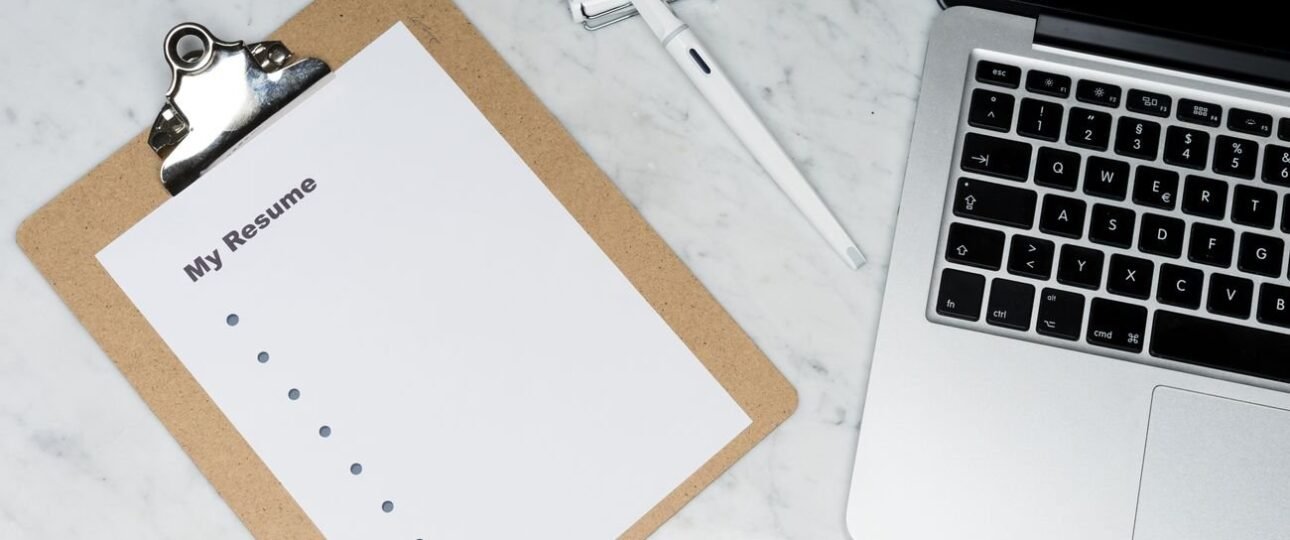
Applying for jobs in Calgary, Edmonton or anywhere else in Alberta? The Canadian resume format is simpler than many people expect, but it has a few strict rules. There’s no photo, no date of birth and no personal details, and the layout is clean enough for applicant tracking software to read.
Below you can download our free Canadian resume template in Word, then follow the section-by-section guide to fill it in. The advice is based on guidance from alis, the Government of Alberta’s career website, along with what Alberta employers typically expect.
In this guide
Download the Free Canadian Resume Template (Word)
The template is a one-page Word file (.docx) set up in Canadian format. It has a header with your contact details, a professional summary, key skills, work experience, education, certifications, volunteer experience and languages. Everything you need to replace is in [square brackets], and grey tip lines remind you what goes where. Delete them before you send it.
It’s built without tables, text boxes or columns, so applicant tracking systems can read every line. It also opens in Google Docs, Pages and LibreOffice if you don’t have Microsoft Word.
Why Word and not PDF? alis recommends sending a Word file, because some applicant tracking software can’t read PDFs. If a job posting asks for a PDF, save a copy as PDF just before you apply.
Canadian Resume Format at a Glance
| Element | Canadian standard |
|---|---|
| 📄 Length | 1–2 pages |
| 📐 Paper size | Letter (8.5 × 11 in), not A4 |
| 📸 Photo | None |
| 📍 Address | City and province only, e.g. Calgary, AB |
| 🙅 Personal details | No age, date of birth, marital status, religion or SIN |
| 🗓️ Dates | Month and year, e.g. Mar 2024 – Present |
| ⬇️ Order | Most recent job first |
| 💾 File type | Word (.docx), unless the posting asks for PDF |
| 🏷️ File name | FirstName LastName Resume |
| 👥 References | Separate page, given when asked |
What to Leave Off a Canadian Resume
This is where many newcomers trip up, because rules in other countries are different. Based on alis guidance and common Canadian practice, a Canadian resume should not include:
- A photo. In Canada it’s considered unprofessional and can open you up to discrimination.
- Personal information such as your age, date of birth, marital status, religion, sexual orientation or disability.
- Your Social Insurance Number (SIN). Only give it to an employer after you’re hired.
- A title like “Resumé” at the top, a date or a signature. The date and signature belong on your cover letter.
- Salary history or reasons for leaving a job.
If you’re worried that your graduation year gives away your age, alis notes you can leave the date off and drop jobs from early in your career.
How to Fill In the Template, Section by Section
1. Header
Your name in large type, then one line with your city and province, phone number, a professional email address and your LinkedIn URL. Skip your full street address. City and province are enough.
2. Professional summary
Two or three sentences at the top that say who you are, how many years of experience you have and the two or three skills that match the job. Write it fresh for each application, using words from the posting.
3. Key skills
Group your skills into short labelled lines, such as customer service, technical or safety and compliance. List the tools, software and certifications the posting mentions, but only the ones you really have.
4. Work experience
List jobs newest first with your job title, the company, the city and the dates. Under each job, write 3–5 bullet points that start with an action verb and show a result. alis gives a good example: “Increased web traffic by 45% in the last 6 months” is much stronger than “Increased web traffic.” Numbers make your bullets stand out.
5. Education
Your highest credential first, with the school, city and year. If you studied outside Canada, an assessment can help employers understand your education. Alberta’s International Qualifications Assessment Service (IQAS) compares international credentials to Canadian standards, and you can mention the result on your resume, for example: “Assessed by IQAS as comparable to a Canadian bachelor’s degree.” Learn more on the official IQAS page.
6. Certifications and training
Many Alberta job postings ask for tickets and certificates, so give them their own section. Common examples are Standard First Aid and CPR, WHMIS, safe food handling and, in the energy sector, H2S Alive. Add the expiry date if there is one.
7. Volunteer experience
Volunteering is valued in Canada and is a good way to show Canadian experience if you’re new to the country. Treat it like a job: role, organization, dates and one or two results.
8. Languages
List each language with your level, such as fluent, professional or conversational. Speaking a second language is an asset in many customer-facing jobs in Calgary and Edmonton.
Chronological, Functional or Combination Resume?
The template uses the most common layout, but alis describes three types:
| Type | Best for | What it focuses on |
|---|---|---|
| ⏱️ Chronological | Applying for a job similar to your current or recent work | Work history, newest first |
| 🧩 Functional | Gaps in your work history, e.g. travel, parenting or illness | Skills, more than job history |
| 🔀 Combination | Changing careers | Skill groups first, then a short work history |
To switch our template to a functional or combination format, move the Key Skills section up, expand it with examples, and shorten the work experience bullets.
How to Get Past Applicant Tracking Systems (ATS)
Many Canadian employers use software to screen resumes before a person reads them. To get through:
- Mirror the job posting. Use the same words for skills and job titles that the posting uses.
- Put your strongest match near the top, in your summary and key skills.
- Keep the layout simple. alis warns that tables and columns can be misread by ATS software. Our template uses neither.
- Use standard headings like Work Experience and Education, so the software knows what each section is.
Tips for Newcomers Looking for Work in Alberta
- Write a new version for each job. Keep one long “master” resume with everything, and pull the relevant parts into a one- or two-page version for each application.
- Show Canadian experience where you can, even if it’s volunteering, a course or a short contract.
- Use Canadian spelling (centre, organization, cheque) and check it carefully. Spell check won’t catch every error.
- Get free help. Alberta Supports centres offer free career and job-search services. Call the contact centre at 1-877-644-9992.
Just arrived? Our Moving to Alberta checklist covers your health card, driver’s licence and everything else to sort out first.
Send It With a Matching Cover Letter
A strong resume works best with a cover letter that uses the same header and font. Download our free Canadian cover letter template, designed to match this resume.
FAQs
What is the Canadian resume format?
A Canadian resume is 1–2 pages, lists your most recent job first, and includes your city and province but no photo, date of birth or other personal details. It’s usually sent as a Word file on letter-size paper.
Should I put a photo on my resume in Canada?
No. Photos are considered unprofessional in Canada and can open you up to discrimination, according to alis, the Government of Alberta’s career website.
How long should a Canadian resume be?
One to two pages. Most people with a few years of experience can fit their resume on one page.
Should I send my resume as a Word file or a PDF?
alis recommends a Word file, because some applicant tracking systems can’t read PDFs. If the job posting asks for a PDF, send a PDF.
Do I include references on a Canadian resume?
No. Prepare a separate reference page and give it to the employer when they ask. You don’t need to write “references available on request”.
What personal information should I leave out?
Leave out your age, date of birth, marital status, religion, sexual orientation, disability and your Social Insurance Number.
Can I open the template in Google Docs?
Yes. Upload the .docx file to Google Drive and open it with Google Docs. It also works in Pages and LibreOffice.
Is the resume template free?
Yes. It’s free to download and use for your own job applications.


[…] cover letter is designed to match our Canadian resume format guide and free template, so your application looks consistent. New to the province? Start with our Moving to Alberta […]
[…] apply? Canadian employers expect a specific format, with no photo or personal details. Use our free Canadian resume template and the matching cover letter template, both in […]